De-Authorized Equipment Troubleshooting
Systems will be notified
by NDC weekly informing you of any updates or changes as well as when the next
systems are in line for De-authorization.
Ø
When a customer calls in
o
Customers may call in complaining that their equipment is no longer
working
§
No picture
§
Not responding
o
Associates should follow current SOG for identifying customer
account
§
Verify services and Equipment numbers on the account
§
Make sure that outlets and authorization are in line with one
another
Ø If equipment is not
on the account, it may be De-Authorized.
o
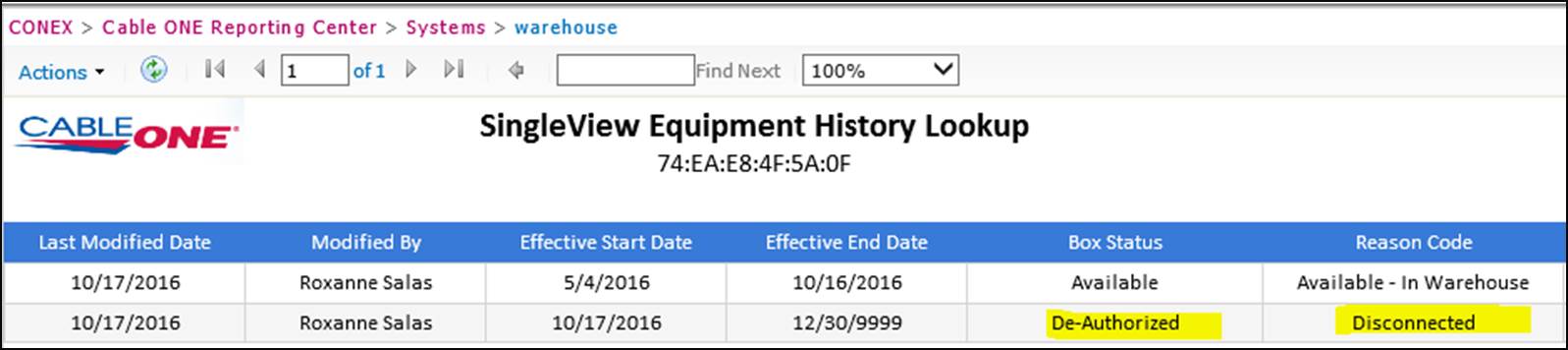
Please check the Equipment history lookup tool.
o
You will have to ask the customer for CPE serial number
o
Use the Equipment History lookup tool to check the following
§
If the box number is correct
·
Customer may not always know which number they should give you
o
You should only see results if you have the correct box number
§
The status of the box
·
In the example below, you can see a box that is in De-Authorized
status
Ø
Once you’ve verified the equipment is De-Authorized there are few
things you must do
o
Go over cost difference (if applicable)
o
Any changes to billing or the account itself
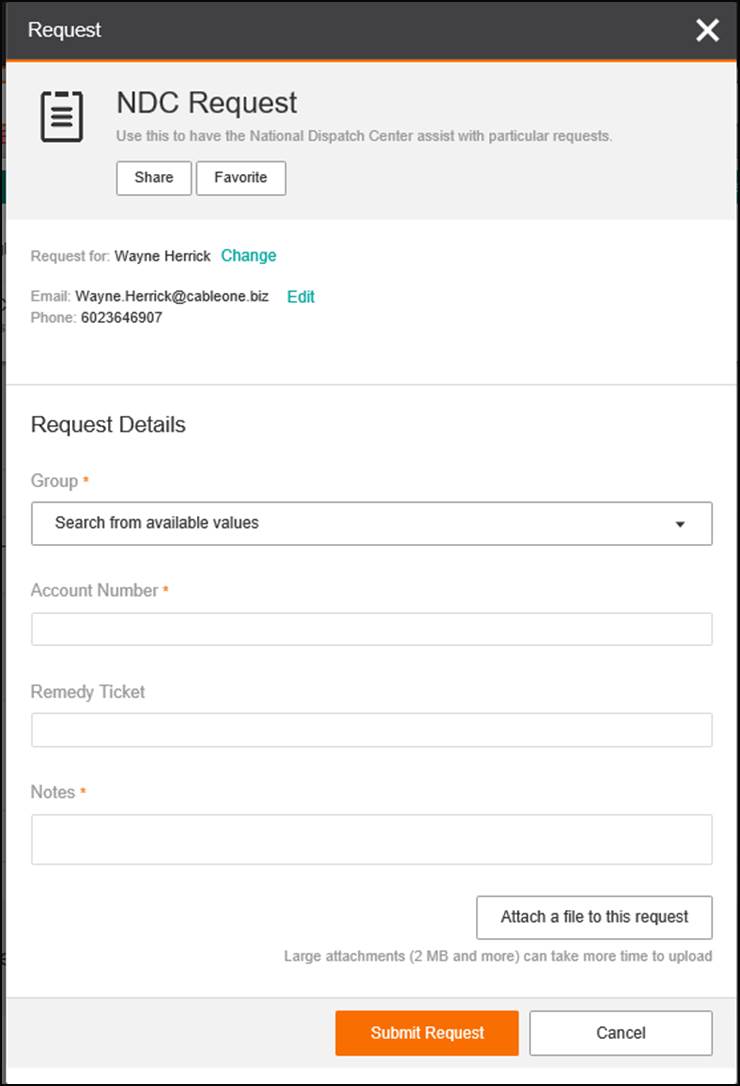
Ø To proceed Submit an
NDC request to have the
equipment cycled back into available status
Ø
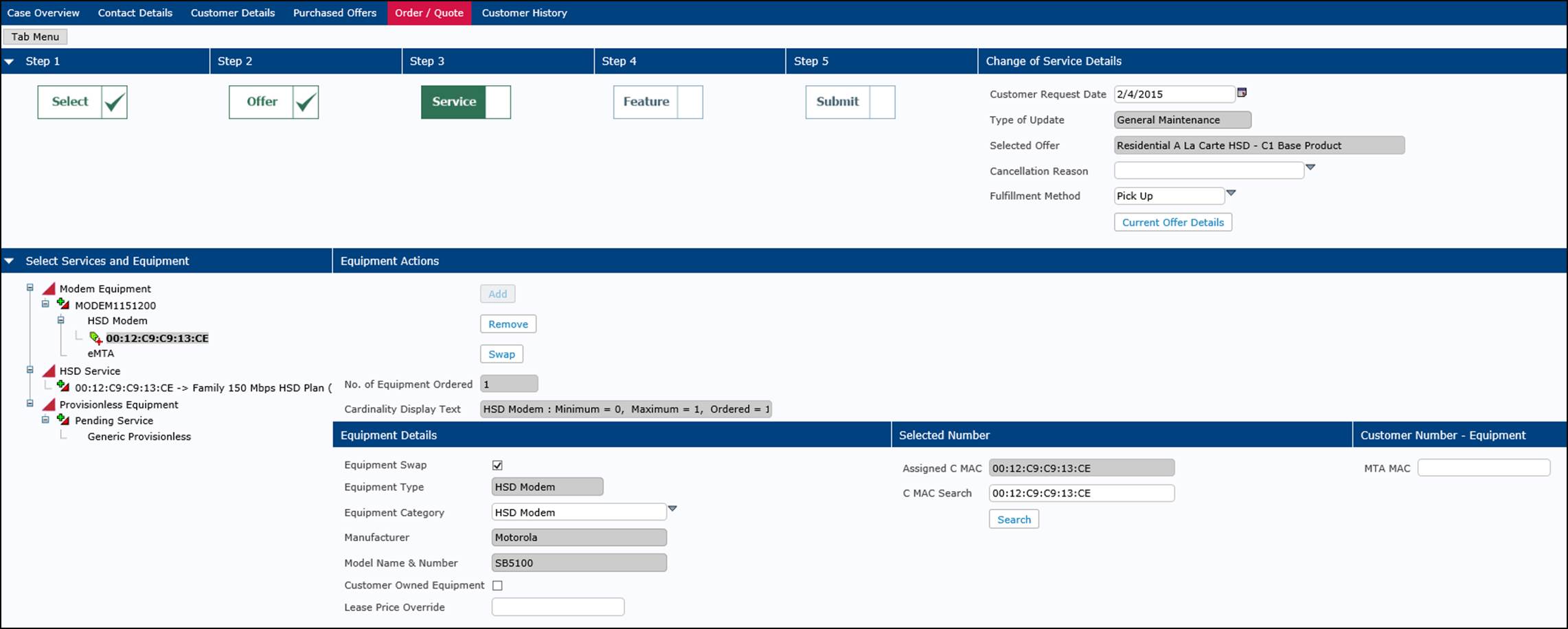
Once the NDC request is completed. You’ll now be able to install
the equipment onto the account.
Ø
Should the equipment
not provision to the customer’s account an escalation should be sent to
Lead Specialist Team for further troubleshooting.
o
Please keep the customer in mind and offer to call them back
whenever possible. Avoid keeping customers on hold for long periods of time.
Updated
Sep-20 by:
Training@cableone.biz To
submit feedback about this resource please submit a Training
Ticket